Line Item Subsets & Collect
Share
Line Item Subsets and Collect
Discover how to create line item subsets and how they can be used across a number of use cases.
Anaplan definition:
A line item subset is a list of items drawn from one or more modules:
It can seem like a tricky aspect to Anaplan when first learning, but the understanding of line item subsets can unlock a very powerful function which can be used across a number of use cases.
Typical use cases:
Case study
I have created a simple collection module, which is made up of the following lists: Time, Version, and Locations. My Line Items are based on my P&L metrics, i.e. Revenue, Cost of Sales, etc. My users will input data into this module in Local Currency however I would also like to report on these numbers in my consolidated currency, which in this case is USD.
What next?
1. Create a Line Item Subset [LISS] using the ‘Income Statement – Input’ as source module and ensure all line items are ticked for inclusion. When naming a Line Item Subset I like to prefix with a ‘LISS -‘ so that I can easily distinguish it from a standard List.

Don’t forget you can add/remove line items in any subset within the Blueprint view of the source module.
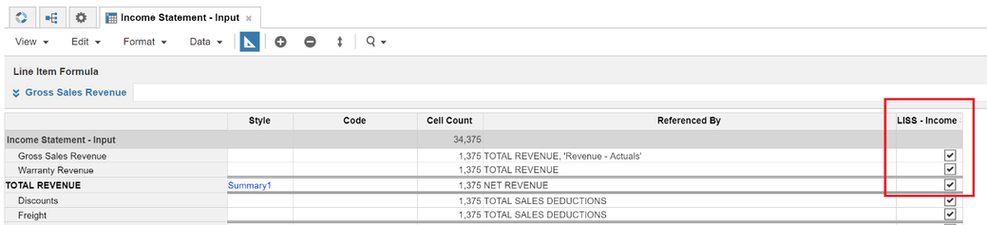
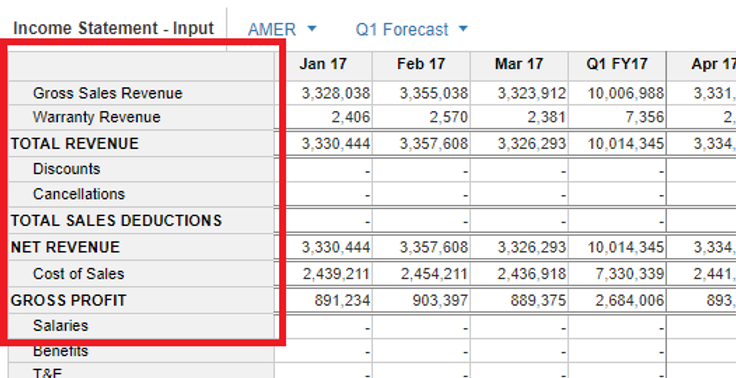

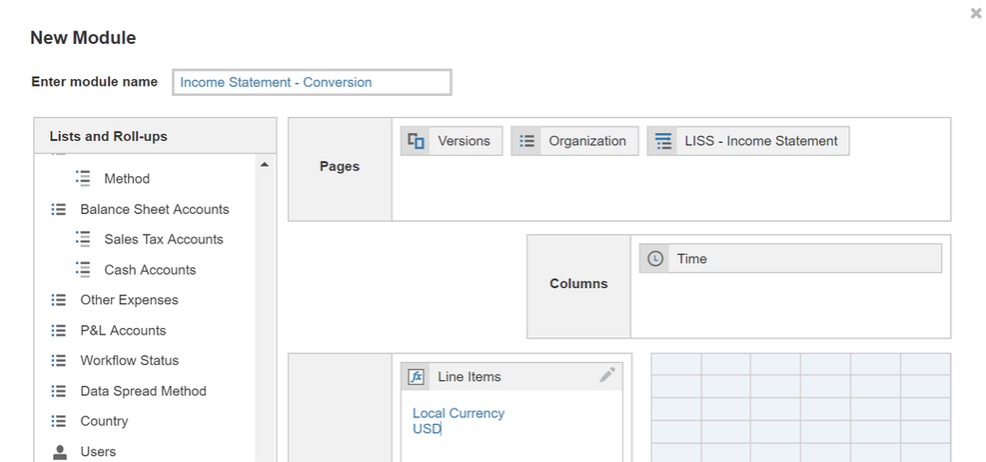
2. Create a new module – ‘Income Statement – Conversion’ and include Versions, Organisation Time and the newly created LISS – Income Statement. Add two new line items, one to pull in the inputted local currency and another to convert to USD.
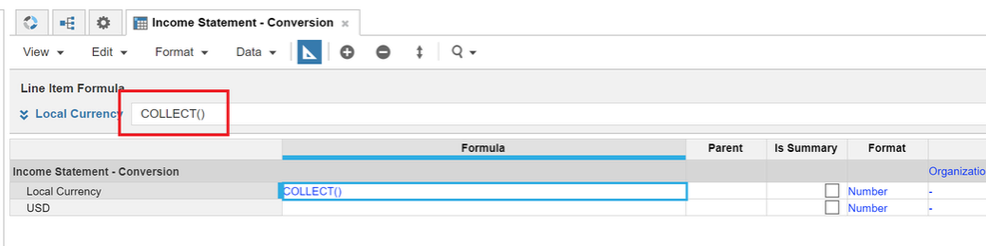
3. Remember, you now have the ability to apply any number of line item calculations to the original LISS from the source module. Firstly, you can simply apply the COLLECT() formula to the Local Currency line item, which does what it says on the tin, it retrieves all the source data from the module which its line item subset applies to. In this case the data is retrieved from ‘Income Statement – Input’.
4. We can then apply a basic Lookup function to the second line item to which converts the ‘Local Currency’ to ‘USD’. For the purposes of this case study, we won’t go into much detail on the conversion method.
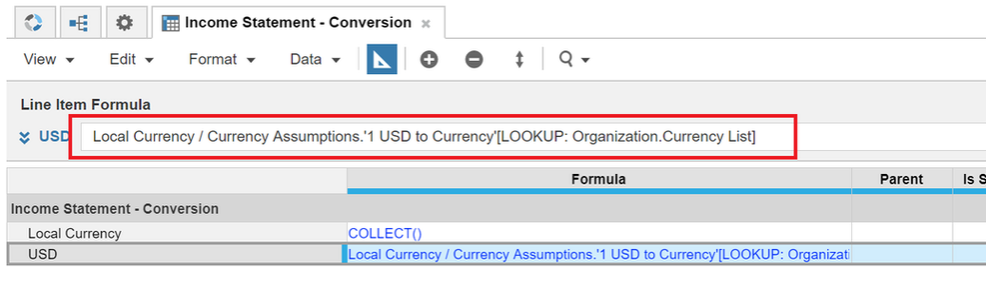
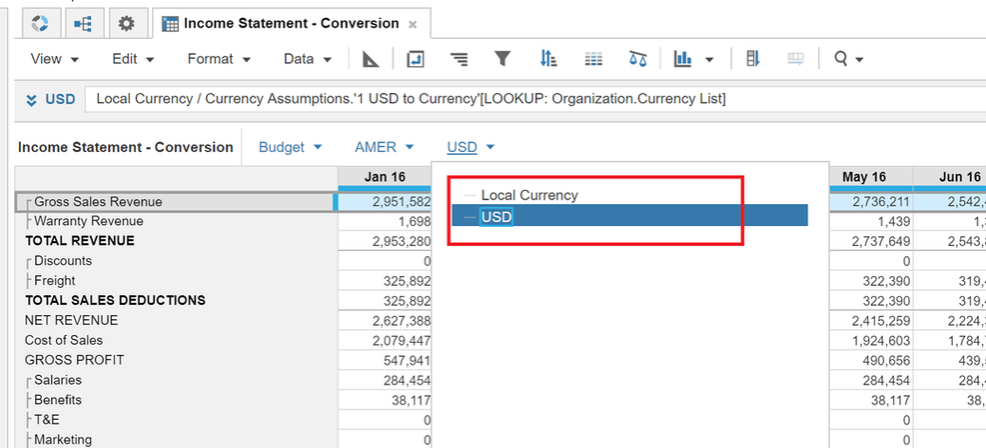
5. We now have the ability to view any of the Income Statement metrics at both local currency and USD.
What not to do?
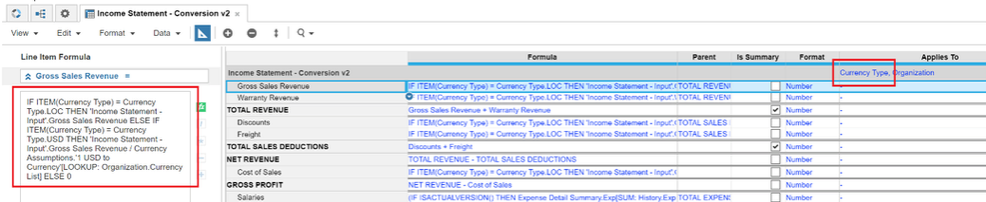
It may be tempting to create a new list with two elements ‘LOC’ and ‘USD’ and add this list to a module with multiple line items as per the original module (i.e. Gross Revenue, Discounts, etc). You then end up writing a pretty lengthy IF statement (IF LOC then… ELSE IF USD then… ELSE…), and of course you need to duplicate this for every line item. It will work and give you the same outcome, but not in an efficient way.
With LISS you only have to write the formula once and it applies to all of the elements of the Line Item Subset within that module.

Follow Bedford on socials
Keep up-to-date with all things Anaplan and Bedford.
You may also be interested in
Upcoming training