D.I.S.C.O. Methodology
Share
D.I.S.C.O. Methodology
D.I.S.C.O. provides a logical structure for one to use when designing Anaplan models.
What does D.I.S.C.O stand for?
Data
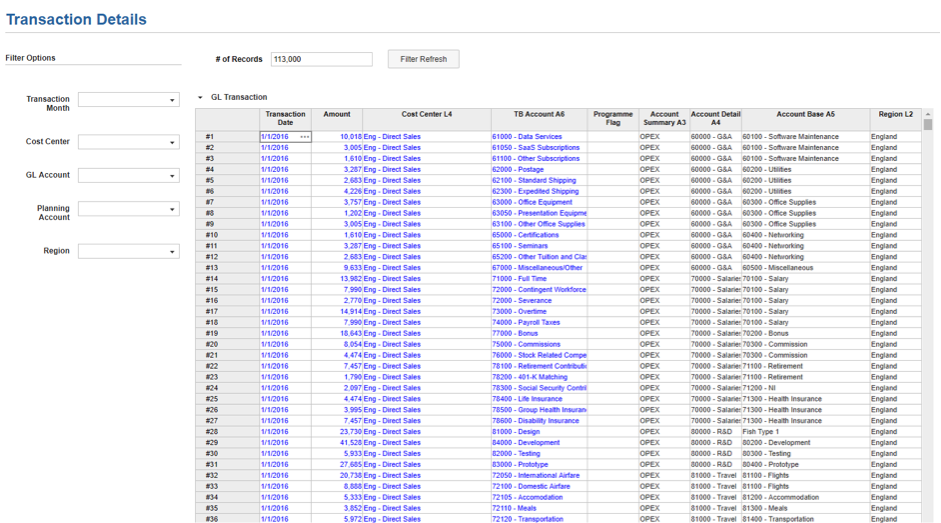
This is the starting point of data flow, which supports inputs, calculations and outputs. Data modules may contain the latest chart of account data, employee roster, list of opportunities or assignments, or transactional history.
It is unlikely end-users will be viewing the data directly (unless there is a requirement for transactional analysis), so one should consider the optimum dimensional structure to hold this data. Also depending on the complexity in the model build, it is best practice to have commonly used data and structures in a data hub. The example below shows transactional history, which also has filter options. This will allow the end-user to undertake transactional analysis in an efficient way.
Inputs
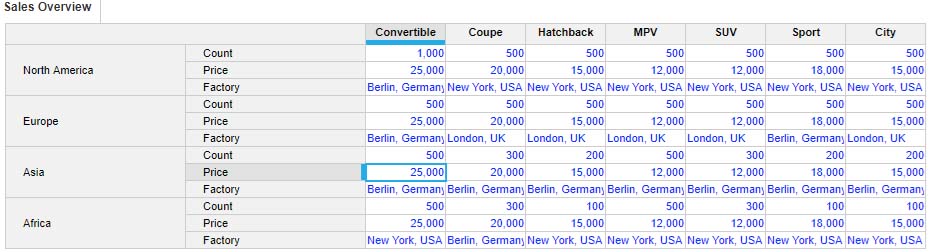
These modules are initial interactions for end users. The modules should be designed for ease of use and flexibility of calculations, and then optimised for use on dashboards. It’s best to keep all input in these modules, and end results in separate modules.
Here is an example of the inputs of the amount, price and factory vehicles produced by region and by product.
System
If modules differ by dimensionality, systems modules will be able to align/ map structures between one another. The best practice would be to use modules and line items in preference to list properties. Some examples of system modules are below.
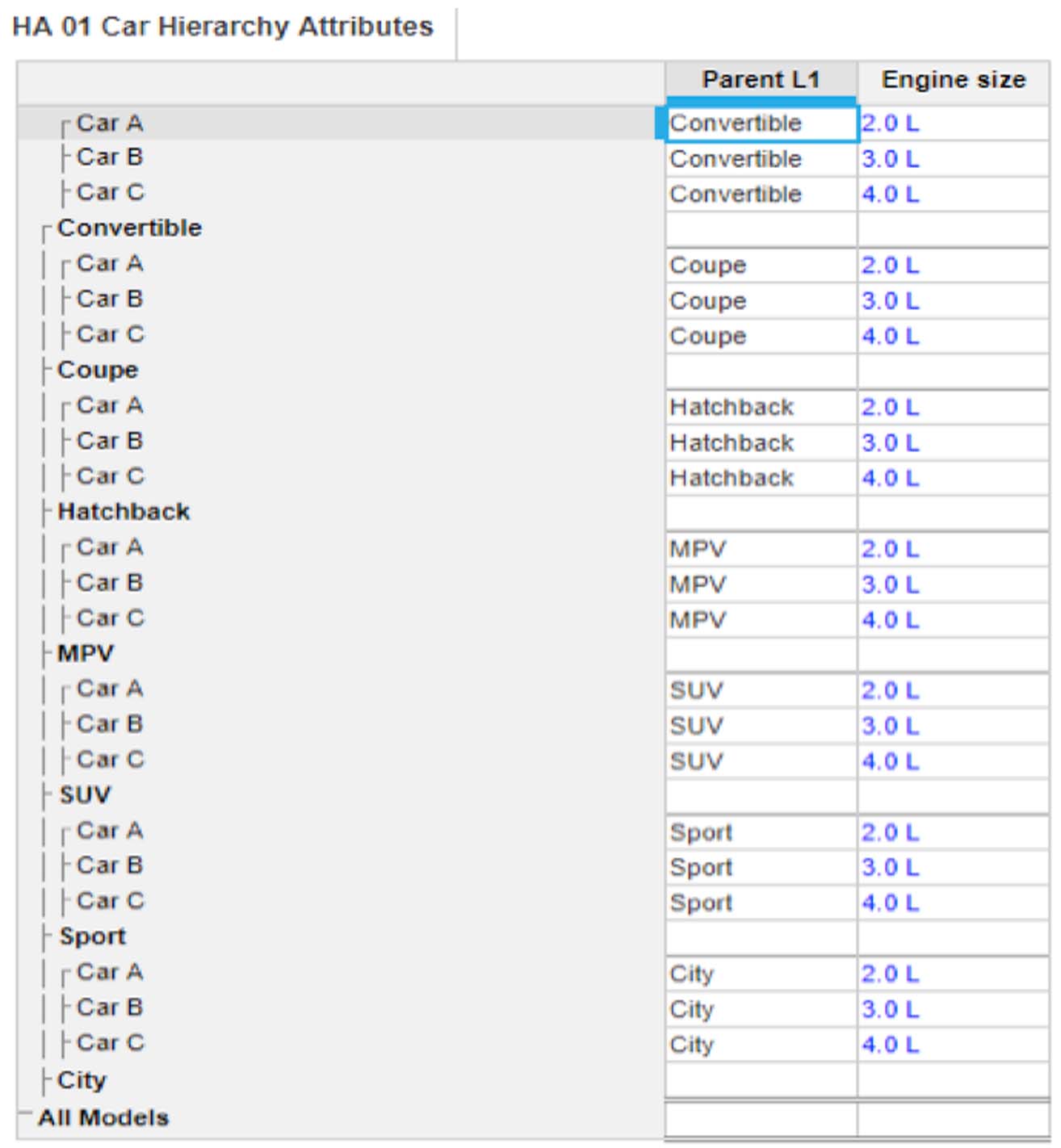
Hierarchy Attributes
Create a system module for each key hierarchical list and create line items for the key attributes. These should include line items for all the parents within the list. The example here shows the parent of the car and an attribute being engine size.
Mapping Modules
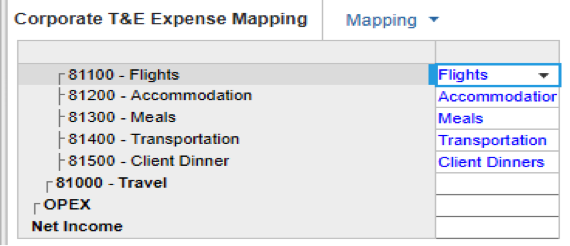
These are some of the key modules that are needed to link, transform and map data between modules. SUM and LOOKUP formulas should use these modules. In the example here, this is mapping an OPEX list to a line item subset in order to map data between modules.
Time Settings Modules
The first module you should build is a time module. Anything to do with time should reside in this module, or similar modules if there are multiple granularities of time within the model. It is very likely that within calculations you will need to know which periods are historic and which are future.

Calculations
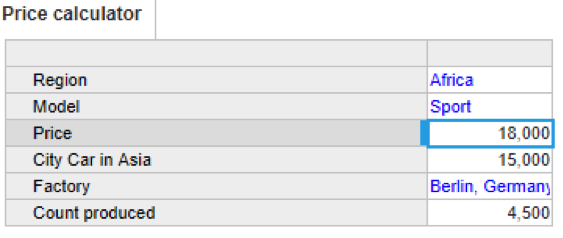
Calculation modules are very different from Input modules. Users rarely need visibility into the detail of the calculations. These modules should be optimised for calculations. The example here is calculating the price of a vehicle based on Region and Model.
Outputs
This is the last remaining part of the DISCO approach. This is for the end-user to understand what the result of the calculation is. This could show an output of the P&L forecasting, cash forecasting or volume planning, etc. In an ideal world there should be no data flows out of these modules. Output modules can also provide an export view for the end result to connect the flow of information to external systems that require the data. Here is an example of an output of Revenue by Region.

Follow Bedford on socials
Keep up-to-date with all things Anaplan and Bedford.
You may also be interested in
Upcoming training